Docker in Production: Best Practices for PHP Applications
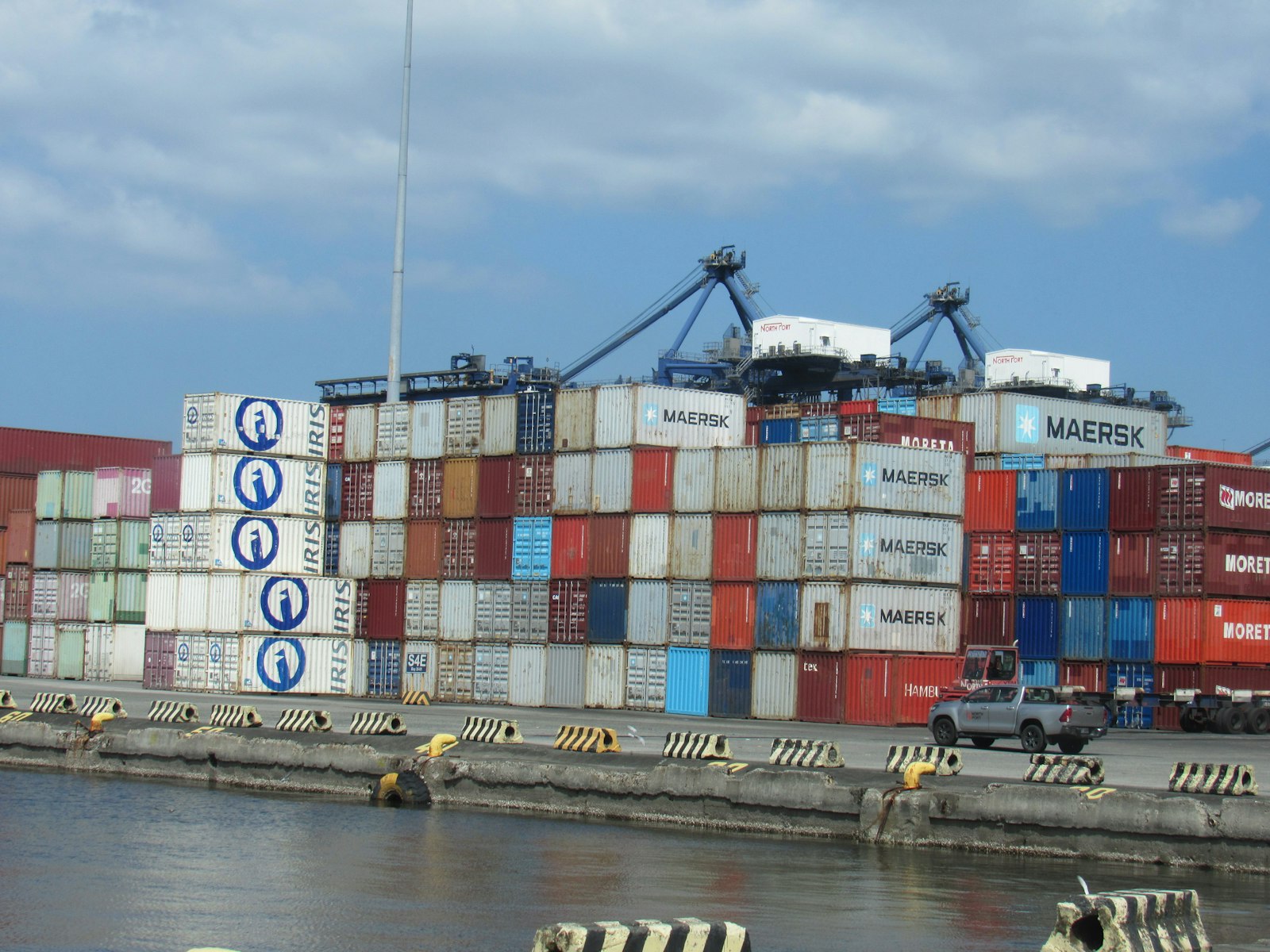
Photo by PortCalls Asia on Unsplash
A Docker image that runs beautifully in development can fall apart on its first real load test in production. Not because Docker is a bad tool, but because PHP in containers has quirks that most tutorials never mention.
PHP has been production-tested for over 25 years, Docker for more than 10. Despite this maturity, technical audits keep surfacing the same avoidable problems: bloated images, misconfigured PHP-FPM pools, logs that nobody can find, and security defaults that have been considered outdated for years.
This article is not a Docker introduction. If you have not yet seen a Dockerfile, the official Docker tutorials are the right starting point. What follows are the practices that come after Hello World, the ones that decide stability under real load. Versions referenced: PHP 8.4 (currently 8.4.19), Laravel 13, Composer 2.x, BuildKit as the default builder.
Multi-Stage Builds, the Mandatory Standard
Without multi-stage builds, Composer, Node, build tools, and test libraries all end up in the final image. The result is 1.2 GB images for applications that need under 250 MB at runtime.
The Two Standard Stages
The minimum architecture separates build and runtime into two stages. Stage 1 has all build tools, stage 2 has only what runtime needs.
# syntax=docker/dockerfile:1.7

# Stage 1: Build Composer dependencies
FROM composer:2.8 AS vendor
WORKDIR /app
COPY composer.json composer.lock ./
RUN --mount=type=cache,target=/tmp/cache \
    composer install \
        --no-dev \
        --no-scripts \
        --no-autoloader \
        --prefer-dist \
        --no-interaction
COPY . .
RUN composer dump-autoload --optimize --classmap-authoritative

# Stage 2: Runtime
FROM php:8.4.19-fpm-bookworm AS runtime
WORKDIR /var/www/html

RUN apt-get update && apt-get install -y --no-install-recommends \
        libpq-dev libzip-dev libicu-dev \
    && docker-php-ext-install -j$(nproc) pdo_pgsql opcache intl zip \
    && apt-get clean \
    && rm -rf /var/lib/apt/lists/*

COPY --from=vendor /app/vendor /var/www/html/vendor
COPY . /var/www/html

RUN useradd -u 1000 -m -s /bin/bash www \
    && chown -R www:www /var/www/html

USER www
EXPOSE 9000
CMD ["php-fpm"]
Three details that make the difference:
Version pinning: Use php:8.4.19-fpm-bookworm instead of php:8.4-fpm. Floating tags pull a different version unexpectedly as soon as the base image is updated. Reproducibility is not optional.
Cache mounts: RUN --mount=type=cache,target=/tmp/cache is a BuildKit feature that preserves the Composer cache between builds. It cuts dependency download time by 60 to 80 percent in CI pipelines. BuildKit is enabled via DOCKER_BUILDKIT=1 and is the default in modern Docker versions.
Composer layer order: Copy composer.json and composer.lock first, then run composer install without the autoloader, then copy the code, then composer dump-autoload. This way Docker can cache the expensive install step across code changes.
Extended Stages
Applications with frontend builds add a Node stage. For clean CI separation, add a test stage that runs in the pipeline with --target=test, without test dependencies leaking into the production image.
# Stage: Build frontend assets
FROM node:20-alpine AS assets
WORKDIR /app
COPY package.json package-lock.json ./
RUN --mount=type=cache,target=/root/.npm \
    npm ci
COPY resources ./resources
COPY vite.config.js tailwind.config.js ./
RUN npm run build

# In the runtime stage:
COPY --from=assets /app/public/build /var/www/html/public/build
What Does Not Belong in the Final Image
composer.json with dev dependencies, the .git directory, test suites, tools like PHPStan or Pint, and the tests/ structure. A maintained .dockerignore keeps these paths out of COPY . . and makes builds deterministic.
# .dockerignore
.git
.github
.idea
node_modules
tests
storage/logs/*
storage/framework/cache/*
storage/framework/sessions/*
storage/framework/views/*
.env*
docker-compose*.yml
README.md
phpunit.xml
phpstan.neon
pint.json
Image size is not vanity optimization. Smaller images mean faster deployments, faster container starts, smaller attack surface, and lower storage costs in the container registry.
Base Image Choice: Alpine, Slim, or Distroless
The base image choice is a maintenance and security decision, not just about size.
Alpine
Alpine-based images are 5 to 10 MB and the most compact option. The catch: Alpine uses musl libc instead of glibc. Some PHP extensions (mongodb, oci8, certain crypto libraries) build with special handling or not at all. The community has also seen subtle behavior differences, for example in DNS resolution or memory allocation under high load.
Recommendation: If your application compiles on Alpine and all required extensions are available, Alpine is a solid choice. At the first musl pitfall, switch faster than you debug for hours.
Debian Slim
Debian Slim with the bookworm tag lands at 80 to 120 MB. The advantage: glibc, broad extension compatibility, familiar package tools. The disadvantage: larger size, more packages, more potential CVEs.
For most Laravel projects, Debian Slim is the sensible default. The image size justifies the extra 80 MB through stability and compatibility.
Distroless
Google maintains the Distroless project, a family of minimal images without shell or package manager. Advantage: maximum security, minimal attack surface. Disadvantage: debugging is significantly harder, builds need external tooling, and PHP has no official Distroless FPM image.
For security-critical workloads in regulated environments, the effort is justified. For most mid-sized projects, Debian Slim with disciplined updates is the more pragmatic path.
The Comparison Table
| Base image | Size (PHP 8.4 FPM) | Compatibility | Maintenance | Sensible for |
|---|---|---|---|---|
| Alpine | 100 to 130 MB | Limited (musl) | Medium | Standard apps without specialized extensions |
| Debian Slim | 180 to 230 MB | Broad (glibc) | Low | Default for Laravel projects |
| Distroless | 90 to 120 MB | Limited | High | Regulated, security-critical workloads |
The numbers vary based on installed extensions. A real Laravel app with pdo, intl, gd, zip, and opcache typically lands at 230 to 280 MB on Debian Slim, 130 to 180 MB on Alpine.
Configuring PHP-FPM Properly in Containers
The most common performance issue in production PHP containers is not Docker but PHP-FPM. The default configuration is meant for bare metal with 16 GB of RAM, not for containers with a 512 MB memory limit.
Worker Sizing Based on Container Memory
The rule of thumb:
pm.max_children = (Container memory in MB) / (Memory per worker in MB)
Measure worker memory, do not guess. A real Laravel app with active OPcache typically uses 80 to 150 MB per worker. With 1 GB of container memory and 100 MB per worker, pm.max_children = 8 is a realistic value. Reserve room for the PHP-FPM master, sidecars, and unexpected load spikes. 8 is safer than 10.
Which pm Mode
In containers with fixed memory limits, pm = static is often the best choice. Memory usage is predictable, OOM kills happen less often. pm = dynamic is more flexible but harder to calibrate. pm = ondemand saves memory but adds latency for the first request after idle periods.
; pool.conf for a container with 1 GB of memory
[www]
user = www
group = www
listen = 9000

pm = static
pm.max_children = 8
pm.max_requests = 500

; Stdout/stderr for container logs
access.log = /proc/self/fd/2
catch_workers_output = yes
decorate_workers_output = no

; Worker lifecycle
request_terminate_timeout = 60s
slowlog = /proc/self/fd/2
request_slowlog_timeout = 5s

; Pass through container environment variables
clear_env = no
Three parameters that matter most in containers:
pm.max_requests: Values between 200 and 1000 prevent memory leaks without restarting workers too aggressively. At 0 (default), workers run forever and memory growth from leaks eventually leads to OOM kills.
request_terminate_timeout: Set explicitly. Without a limit, workers hang on slow external calls (database, HTTP APIs, S3) and block the pool.
slowlog: Writes slow requests to stderr. Indispensable for performance debugging in production. Without slow logs, you find slow paths by guessing.
OPcache in Production
OPcache is the single largest performance factor in a PHP application. Production configuration differs from development.
; php.ini production settings
opcache.enable = 1
opcache.enable_cli = 0
opcache.memory_consumption = 256
opcache.interned_strings_buffer = 16
opcache.max_accelerated_files = 20000
opcache.validate_timestamps = 0
opcache.preload = /var/www/html/preload.php
opcache.preload_user = www
opcache.jit_buffer_size = 100M
opcache.jit = tracing

realpath_cache_size = 4096K
realpath_cache_ttl = 600
validate_timestamps = 0 saves a stat syscall per PHP file per request. Prerequisite: every deployment must invalidate OPcache or restart the container. In container workflows, that already happens because a new image creates a new container.
opcache.preload loads framework classes once at FPM start and shares them across all workers. For Laravel and Symfony, this brings 10 to 25 percent lower response times in CPU-bound paths. Important: opcache.preload_user must be set, otherwise preload runs as root at startup.
JIT brings 5 to 30 percent performance gains for CPU-heavy workloads. For pure IO workloads (database, external APIs), the effect is small. Measure with realistic load tests before activating. In rare cases, the tracing JIT can cost performance for code with many short functions.
Composer and Autoloader Optimization
In production, Composer is not a development tool but an installation step with clear flags.
RUN composer install \
    --no-dev \
    --optimize-autoloader \
    --classmap-authoritative \
    --no-interaction \
    --prefer-dist
The four important flags:
| Flag | Effect |
|---|---|
--no-dev | PHPUnit, Pint, Faker, Mockery stay out |
--optimize-autoloader | PSR-4 lookup is replaced by a classmap |
--classmap-authoritative | No filesystem lookups for classes that do not exist |
--prefer-dist | No git histories are cloned, smaller layers |
The performance difference between the standard autoloader and --classmap-authoritative is measurable. For large Laravel apps with hundreds of classes, autoload time per request drops by one to two orders of magnitude.
Laravel-Specific Caches
RUN php artisan config:cache \
    && php artisan route:cache \
    && php artisan view:cache \
    && php artisan event:cache
Always set in production, at build time, not runtime. Cache generation at runtime costs valuable seconds at container start and makes image behavior non-deterministic.
Important: config:cache causes env() calls outside config files to return null. This is by design, not a bug. Configuration comes from the cache at runtime, not from the environment. Anyone using env() directly in code has a bug that only surfaces in production.
Logging: stdout, stderr, and Nothing Else
The basic rule for container logs: everything goes to stdout and stderr. Period.
Docker, Kubernetes, ECS, every runtime reads stdout. Writing to files bypasses the central log pipeline and requires additional sidecars, volumes, or tools like Filebeat just to see the logs at all.
Configuring PHP-FPM for stdout
; php-fpm.conf
error_log = /proc/self/fd/2

; pool.conf
access.log = /proc/self/fd/2
catch_workers_output = yes
decorate_workers_output = no
/proc/self/fd/2 is the file descriptor for stderr of the current process. All logs land directly in the container log and therefore in the central log pipeline.
Laravel on stderr
// config/logging.php
'channels' => [
    'stderr' => [
        'driver' => 'monolog',
        'level' => env('LOG_LEVEL', 'info'),
        'handler' => Monolog\Handler\StreamHandler::class,
        'formatter' => env('LOG_STDERR_FORMATTER', Monolog\Formatter\JsonFormatter::class),
        'with' => [
            'stream' => 'php://stderr',
        ],
    ],
],
Set LOG_CHANNEL=stderr in production. The JsonFormatter makes logs directly parseable for CloudWatch, ELK, Loki, and similar tools without further transformation.
Nginx in the Same or a Separate Container
error_log /dev/stderr warn;
access_log /dev/stdout main;
If Nginx runs in the same container as PHP-FPM, both processes need a supervisor like supervisord or s6-overlay. The cleaner approach is splitting into two containers that communicate over TCP. In modern orchestration platforms (ECS, Kubernetes), the split is the default approach.
Common Mistake
Logs are written to storage/logs/laravel.log, the filesystem is read-only or fills up. Both prevent the app from starting or continuing to run. If the app dies only after the health check, a subtle restart loop emerges that is hard to spot in the container runtime.
Container Security
Container security is not a single feature but a set of standard practices that together reduce the attack surface by orders of magnitude.
Non-Root User
PHP-FPM must not run as root, neither in the container nor in a shared pod.
RUN useradd -u 1000 -m -s /bin/bash www \
    && chown -R www:www /var/www/html

USER www
UID 1000 is not reserved on most Linux systems. With volume mounts, UID consistency between host and container matters, otherwise permissions break.
Read-Only Root Filesystem
# docker-compose.yml
services:
  app:
    image: myapp:1.2.3
    read_only: true
    tmpfs:
      - /tmp
      - /var/run
    volumes:
      - app-storage:/var/www/html/storage:rw
The container can no longer write code, except in explicitly granted directories. This prevents attackers from establishing persistence or installing web shells in the container.
Laravel needs write access for storage/ and bootstrap/cache/. Both are mounted as writable volumes or emptyDir. The application itself (code, vendor) stays read-only.
HEALTHCHECK
HEALTHCHECK --interval=30s --timeout=3s --start-period=5s --retries=3 \
    CMD curl --silent --fail http://localhost/health || exit 1
A container runtime without a health check cannot detect that the app hangs but still answers TCP. The endpoint should deliver more than HTTP 200, ideally a DB check and a cache check.
// routes/web.php
Route::get('/health', function () {
    try {
        DB::connection()->getPdo();
        Cache::put('health-check', now(), 10);
    } catch (\Throwable $e) {
        return response()->json(['status' => 'unhealthy', 'error' => $e->getMessage()], 503);
    }
    return response()->json(['status' => 'ok']);
});
Image Scanning
CVEs appear daily. An image that was clean yesterday can have a critical vulnerability today. Run Trivy, Grype, or Snyk in your CI pipeline and fail builds on critical findings. Official PHP images are updated regularly, but only those who rebuild get the patches.
Secret Management
Never put secrets in Dockerfile or layers. Use BuildKit secrets at build time:
RUN --mount=type=secret,id=composer_auth,target=/root/.composer/auth.json \
    composer install --no-dev
At runtime, secrets come from the orchestrator (ECS Secrets Manager, Kubernetes Secrets, Docker Secrets) as environment variables or mounted files. Anyone storing secrets in layers has them in the image history forever, even after RUN rm secret.txt.
Performance Factors That Are Often Overlooked
Three knobs beyond OPcache and FPM sizing:
Increase the realpath cache. The default is far too small for modern frameworks. realpath_cache_size = 4096K and realpath_cache_ttl = 600 significantly reduce filesystem lookups.
Unix socket instead of TCP between Nginx and PHP-FPM. Only possible when both run in the same container, but 5 to 10 percent faster. In separate containers, TCP is the only option.
Audit Composer plugins. Packages like composer/package-versions-deprecated are often unnecessary in modern Composer versions. composer why shows which packages pull plugins that are no longer needed.
docker-compose vs. Kubernetes vs. ECS
The right orchestrator depends on team size, experience, and complexity, not on the buzzword.
| Orchestrator | Suitable for | Strengths | Weaknesses |
|---|---|---|---|
| docker-compose | Single-server setups, development | Simple mental model, fast setup | No auto-healing, no multi-host |
| Kubernetes | Larger teams, multi-service architectures | Auto-scaling, self-healing, standard ecosystem | High learning curve, operations overhead |
| ECS Fargate | AWS-focused teams, medium complexity | Less complex than Kubernetes, good AWS integration | Vendor lock-in, less flexible |
For most PHP projects in mid-sized companies, ECS Fargate or a dedicated docker-compose setup on a well-maintained server is a better path than Kubernetes. Kubernetes pays off when complexity is already there from other factors (multi-service, polyglot stacks, large teams). The next article in this series compares ECS and EKS for PHP workloads in detail.
Common Anti-Patterns
Seven patterns I keep seeing in audits and that keep causing pain in production:
Apache with mod_php in production containers. Harder to scale and monitor in containers than Nginx with PHP-FPM. Exception: legacy apps with .htaccess dependencies that cannot be migrated.
One container for everything (app, database, cache). Violates the single-responsibility principle, complicates scaling and monitoring. Databases belong in dedicated services or managed offerings.
Volume mounts for application code in production. Code belongs in the image, not in a volume. Mounts are a development concept.
Build arguments for configuration. ARG DB_HOST is wrong because it ties the image to an environment. Configuration comes at runtime via environment variables.
composer install at runtime. Slows container startup and makes builds non-reproducible. All dependencies belong in the image.
Logs in volumes instead of stdout. Loses the central log pipeline and makes debugging unnecessarily hard.
No health checks. The container runtime cannot tell that the app is hung. A health endpoint with a DB check is mandatory, not optional.
Conclusion
Docker has simplified running PHP applications, not trivialized it. The most common problems are not Docker problems but PHP problems that show different symptoms in containers.
The practices in this article are the minimum standard, not premium. Multi-stage builds, version pinning, properly sized PHP-FPM, OPcache with preload, stdout logging, non-root user, health checks, image scanning. Anyone who consistently implements these eight points has eliminated 80 percent of the stability and security problems I keep finding in audits.
The remaining 20 percent come from experience, monitoring, and honest review after load spikes. The knobs documented here are the foundation that experience builds on. A deeper look at the underlying server configuration is in the LEMP stack tuning article, and a performance layer above PHP-FPM is described in the Laravel Octane article.
Are you planning to migrate a PHP application to containers, or do you doubt the stability of your current container setup? Contact me for a technical audit that reviews image, configuration, and deployment in two to three days.