
WordPress Performance: 10 Steps to a Lightning-Fast Website
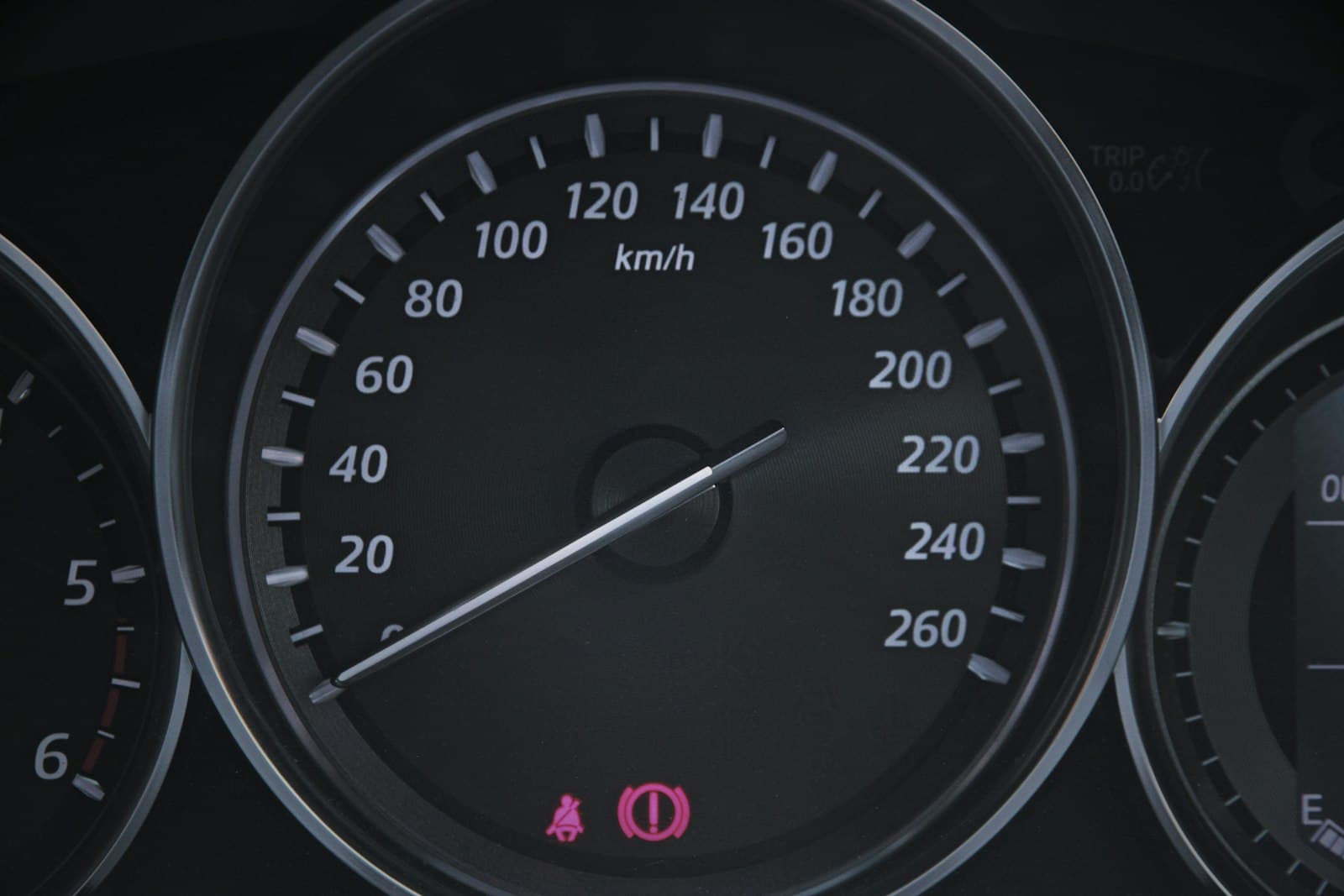
Photo by Tristan Beischel on Unsplash
A slow WordPress site costs you visitors, rankings, and revenue. With the right optimizations, you can reduce load times by 40-60%. In this article, I'll show you 10 concrete steps to supercharge your self-hosted WordPress installation for peak performance.
Why Performance Matters
Google uses Core Web Vitals as ranking factors. Pages with load times over 3 seconds have significantly higher bounce rates. The good news: with systematic optimization, you can achieve load times under 2 seconds.
Current Core Web Vitals (2026):
- LCP (Largest Contentful Paint): < 2.5 seconds
- INP (Interaction to Next Paint): < 200ms - replaced FID in March 2024
- CLS (Cumulative Layout Shift): < 0.1
Step 1: Update PHP to 8.3+
PHP 8.3 is 30-50% faster than PHP 7.4. Yet about 30% of all WordPress installations still run on outdated PHP versions without security support.
Enable and Configure OPcache
OPcache stores compiled PHP bytecode in memory and eliminates the repeated parsing of PHP files.
; /etc/php/8.3/fpm/conf.d/10-opcache.ini

opcache.enable=1
opcache.memory_consumption=256
opcache.interned_strings_buffer=16
opcache.max_accelerated_files=10000
opcache.revalidate_freq=0
opcache.validate_timestamps=0
opcache.save_comments=1
opcache.enable_file_override=1

; JIT für PHP 8.x
opcache.jit=1255
opcache.jit_buffer_size=128MImportant: validate_timestamps=0 means that changes to PHP files only take effect after a PHP-FPM restart. Set to 1 for development environments.
PHP-FPM Pool Optimization
; /etc/php/8.3/fpm/pool.d/www.conf

[www]
pm = dynamic
pm.max_children = 50
pm.start_servers = 10
pm.min_spare_servers = 5
pm.max_spare_servers = 20
pm.max_requests = 500

; Für dedizierte Server mit viel RAM
; pm = static
; pm.max_children = 100
The number of max_children depends on available RAM. Rule of thumb: (Available RAM - 1GB for system) / 50MB per worker.
Step 2: Tune MySQL/MariaDB
The database is often the bottleneck. With the right settings, you can reduce query times by 50-70%.
Size the InnoDB Buffer Pool
# /etc/mysql/mysql.conf.d/mysqld.cnf

[mysqld]
# Buffer Pool: 60-80% des verfügbaren RAM auf dedizierten DB-Servern
innodb_buffer_pool_size = 4G
innodb_buffer_pool_instances = 4

# I/O Optimierung
innodb_flush_method = O_DIRECT
innodb_flush_log_at_trx_commit = 2
innodb_log_file_size = 512M
innodb_log_buffer_size = 64M

# Slow Query Log aktivieren
slow_query_log = 1
slow_query_log_file = /var/log/mysql/slow.log
long_query_time = 1
Identify Slow Queries
Install the Query Monitor plugin to see slow database queries directly in the WordPress admin. Queries over 100ms are warning signs.
# Slow Query Log analysieren
mysqldumpslow -s t /var/log/mysql/slow.log | head -20
Step 3: Eliminate Plugin Bloat
Each plugin adds about 10ms of overhead. With 20 plugins, that's 200ms before caching even kicks in.
Perform a Plugin Audit
- Delete deactivated plugins - Deactivated doesn't mean removed
- Remove redundant plugins - Don't run two SEO plugins simultaneously
- Use core features - WordPress 6.9 includes many functions that previously required plugins
- Quality over quantity - One well-coded plugin instead of three mediocre ones
Recommended Lightweight Alternatives
| Task | Heavy | Lightweight |
|---|---|---|
| Page Builder | Elementor Pro | GenerateBlocks |
| SEO | Yoast Premium | SEOPress |
| Forms | Contact Form 7 + Addons | WPForms Lite |
| Security | Wordfence | Solid Security |
Script Manager for Granular Control
With Perfmatters or Asset CleanUp, you can enable or disable CSS/JS on a per-page basis. A contact form script doesn't need to load on the homepage.
Step 4: Choose a Lightweight Theme
The theme is the foundation of your performance. A bloated theme is nearly impossible to optimize.
Performance Comparison of Popular Themes
| Theme | File Size | PageSpeed Mobile | Load Time |
|---|---|---|---|
| Astra | < 50 KB | 91/100 | 1.9s |
| GeneratePress | < 30 KB | 98/100 | 0.9s |
| Neve | < 28 KB | 100/100 | 0.8s |
| Divi | > 300 KB | 65/100 | 3.2s |
Recommendation: Use GeneratePress or Astra as a base, then work with the Block Editor or GenerateBlocks.
Theme Optimizations
// functions.php - Unnötige Features deaktivieren

// Emoji-Scripts entfernen
remove_action('wp_head', 'print_emoji_detection_script', 7);
remove_action('wp_print_styles', 'print_emoji_styles');

// oEmbed deaktivieren
remove_action('wp_head', 'wp_oembed_add_discovery_links');
remove_action('wp_head', 'wp_oembed_add_host_js');

// jQuery Migrate entfernen (wenn nicht benötigt)
add_action('wp_default_scripts', function($scripts) {
    if (!is_admin() && isset($scripts->registered['jquery'])) {
        $scripts->registered['jquery']->deps = array_diff(
            $scripts->registered['jquery']->deps,
            ['jquery-migrate']
        );
    }
});

// XML-RPC deaktivieren (Security + Performance)
add_filter('xmlrpc_enabled', '__return_false');
Step 5: Implement Caching Strategies
Caching reduces load time by 40-60%. A multi-layered approach yields the best results.
Page Cache
The page cache stores fully rendered HTML pages. For LEMP stacks, Nginx FastCGI Cache is the fastest solution:
# /etc/nginx/conf.d/fastcgi-cache.conf

fastcgi_cache_path /var/cache/nginx levels=1:2 keys_zone=WORDPRESS:100m inactive=60m;
fastcgi_cache_key "$scheme$request_method$host$request_uri";
fastcgi_cache_use_stale error timeout invalid_header http_500;
fastcgi_ignore_headers Cache-Control Expires Set-Cookie;

# In der Server-Block:
set $skip_cache 0;

# POST requests und URLs mit Query-String nicht cachen
if ($request_method = POST) { set $skip_cache 1; }
if ($query_string != "") { set $skip_cache 1; }

# Admin, Login, WooCommerce Cart/Checkout nicht cachen
if ($request_uri ~* "/wp-admin/|/xmlrpc.php|wp-.*.php|/feed/|index.php") {
    set $skip_cache 1;
}
if ($http_cookie ~* "wordpress_logged_in|woocommerce_cart_hash") {
    set $skip_cache 1;
}

location ~ \.php$ {
    fastcgi_cache WORDPRESS;
    fastcgi_cache_valid 200 60m;
    fastcgi_cache_bypass $skip_cache;
    fastcgi_no_cache $skip_cache;
    add_header X-FastCGI-Cache $upstream_cache_status;

    # Standard PHP-FPM Config
    fastcgi_pass unix:/var/run/php/php8.3-fpm.sock;
    fastcgi_index index.php;
    include fastcgi_params;
}
Object Cache with Redis
Redis caches database queries and significantly reduces the load on MySQL.
# Redis installieren
sudo apt install redis-server php8.3-redis

# Redis für WordPress konfigurieren
sudo systemctl enable redis-server
// wp-config.php
define('WP_CACHE', true);
define('WP_CACHE_KEY_SALT', 'ihre-domain.de_');
define('WP_REDIS_HOST', '127.0.0.1');
define('WP_REDIS_PORT', 6379);
define('WP_REDIS_DATABASE', 0);Then install the Redis Object Cache plugin and activate it.
Browser Cache
# Nginx: Statische Assets cachen
location ~* \.(jpg|jpeg|png|gif|ico|css|js|webp|avif|woff2)$ {
    expires 1y;
    add_header Cache-Control "public, immutable";
    access_log off;
}
For Apache:
# .htaccess
<IfModule mod_expires.c>
    ExpiresActive On
    ExpiresByType image/webp "access plus 1 year"
    ExpiresByType image/avif "access plus 1 year"
    ExpiresByType image/jpeg "access plus 1 year"
    ExpiresByType image/png "access plus 1 year"
    ExpiresByType text/css "access plus 1 month"
    ExpiresByType application/javascript "access plus 1 month"
    ExpiresByType font/woff2 "access plus 1 year"
</IfModule>
Step 6: Optimize Images
Images often account for 50-80% of page size. Modern formats and intelligent delivery are essential.
Use WebP and AVIF
- WebP: 25-34% smaller than JPEG
- AVIF: Up to 60% smaller than JPEG
WordPress has natively supported both formats since version 6.5, but automatic conversion requires plugins.
Recommended Image Optimization Plugins
- ShortPixel - Best compression, WebP/AVIF, own CDN
- Imagify - Easy to use, good results
- Optimole - ML-based optimization, CDN included
Use Lazy Loading Correctly
WordPress has had native lazy loading since version 5.5. But be careful:
// Das LCP-Bild (Hero-Image) NICHT lazy loaden!
// functions.php

add_filter('wp_img_tag_add_loading_attr', function($value, $image, $context) {
    // Erstes Bild im Content nicht lazy loaden
    if ($context === 'the_content') {
        static $count = 0;
        $count++;
        if ($count === 1) {
            return false; // Kein loading="lazy" für erstes Bild
        }
    }
    return $value;
}, 10, 3);
Step 7: Optimize the Frontend
CSS and JavaScript can significantly impact render time.
Inline Critical CSS
The "above the fold" area should render immediately:
// Critical CSS inline im Head
add_action('wp_head', function() {
    if (is_front_page()) {
        echo '<style id="critical-css">';
        include get_template_directory() . '/critical.css';
        echo '</style>';
    }
}, 1);
JavaScript defer and async
// JavaScript mit defer laden
add_filter('script_loader_tag', function($tag, $handle) {
    $defer_scripts = ['jquery', 'comment-reply', 'wp-embed'];

    if (in_array($handle, $defer_scripts)) {
        return str_replace(' src', ' defer src', $tag);
    }
    return $tag;
}, 10, 2);
Preconnect for External Resources
// DNS Prefetch und Preconnect
add_action('wp_head', function() {
    echo '<link rel="preconnect" href="https://fonts.googleapis.com" crossorigin>';
    echo '<link rel="preconnect" href="https://fonts.gstatic.com" crossorigin>';
    echo '<link rel="dns-prefetch" href="//www.google-analytics.com">';
}, 1);
Step 8: Optimize Core Web Vitals
Improve LCP (Largest Contentful Paint)
The LCP element is usually the hero image or main heading.
Checklist:
- Don't lazy-load the LCP image
- Preload the LCP image:
<link rel="preload" as="image" href="hero.webp"> - Server Response Time (TTFB) under 600ms
- Eliminate render-blocking resources
Optimize INP (Interaction to Next Paint)
INP measures responsiveness to user interactions.
Checklist:
- Minimize JavaScript execution
- Break up long tasks (> 50ms)
- Optimize event handlers
- Reduce third-party scripts
// Long Tasks mit requestIdleCallback aufbrechen
function processHeavyTask(items) {
    const CHUNK_SIZE = 100;
    let index = 0;

    function processChunk(deadline) {
        while (index < items.length && deadline.timeRemaining() > 0) {
            processItem(items[index]);
            index++;
        }

        if (index < items.length) {
            requestIdleCallback(processChunk);
        }
    }

    requestIdleCallback(processChunk);
}
Avoid CLS (Cumulative Layout Shift)
/* Bildgrößen immer angeben */
img {
    width: 100%;
    height: auto;
    aspect-ratio: 16 / 9; /* Platz reservieren */
}

/* Web Fonts: FOUT vermeiden */
@font-face {
    font-family: 'CustomFont';
    src: url('font.woff2') format('woff2');
    font-display: swap; /* oder optional */
}
Step 9: Clean Up the Database
A bloated database slows down every query.
wp-config.php Optimizations
// Revisionen begrenzen
define('WP_POST_REVISIONS', 5);

// Autosave-Intervall erhöhen (Standard: 60 Sekunden)
define('AUTOSAVE_INTERVAL', 120);

// Papierkorb automatisch leeren (Tage)
define('EMPTY_TRASH_DAYS', 7);

// Debug nur wenn nötig
define('WP_DEBUG', false);
define('WP_DEBUG_LOG', false);
define('SAVEQUERIES', false);
Regular Cleanup Tasks
-- Alte Revisionen löschen (Backup vorher!)
DELETE FROM wp_posts WHERE post_type = 'revision';

-- Verwaiste Postmeta löschen
DELETE pm FROM wp_postmeta pm
LEFT JOIN wp_posts p ON p.ID = pm.post_id
WHERE p.ID IS NULL;

-- Tabellen optimieren
OPTIMIZE TABLE wp_posts, wp_postmeta, wp_options, wp_comments;
Plugin Recommendation
WP-Optimize automates these tasks and can run weekly in the background.
Step 10: CDN and Security Balance
Set Up a CDN
A CDN reduces latency for visitors worldwide.
Cloudflare (recommended for beginners):
- Very generous free plan
- DNS management included
- DDoS protection
- APO for WordPress (full-page caching)
BunnyCDN (recommended for media-heavy sites):
- 24ms average latency (faster than Cloudflare)
- Pay-as-you-go (~0.01 EUR/GB)
- Better for large files and video
Security Plugins and Performance
Security plugins can significantly impact performance:
| Plugin | Performance Impact | Recommendation |
|---|---|---|
| Wordfence | High (CPU-intensive) | Only on powerful servers |
| Solid Security | Low | Good balance |
| MalCare | No impact | Scans externally |
Tip: Use Cloudflare's WAF instead of plugin firewalls. This completely offloads your server.
Bonus: Performance Monitoring
Tools for Regular Testing
- Google PageSpeed Insights - Official Core Web Vitals data
- GTmetrix - Detailed waterfall analysis
- Query Monitor - WordPress-specific debugging
Automated Monitoring
# Cronjob für wöchentlichen Lighthouse-Test
0 6 * * 1 lighthouse https://ihre-domain.de \
  --output=json \
  --output-path=/var/log/lighthouse/$(date +\%Y\%m\%d).json
Conclusion
WordPress performance isn't rocket science, but it requires a systematic approach. The most important quick wins:
- PHP 8.3+ with OPcache - Instantly 30-50% faster
- Implement caching - Page Cache + Object Cache
- Optimize images - WebP/AVIF with lazy loading
- Plugin audit - Less is more
With these 10 steps, you'll achieve load times under 2 seconds and green Core Web Vitals. Your visitors and Google will thank you.
Have questions about implementation? Contact me -- I'm happy to help you optimize your WordPress installation.